Personal Kanban: Do Less at Once, Finish More
Personal kanban is not a prettier to-do list. Two rules, a five-column board, WIP limits with real numbers, four example boards, and your goal chain.

Contents
- 01What personal kanban is: two rules and a board
- 02Where personal kanban comes from, and the six core practices
- 03Personal kanban vs a to-do list, time blocking, and GTD
- 04What is really on your plate: nine things at once
- 05How to set up a personal kanban board in five steps
- 06The WIP limit: why fewer open tasks finish faster
- 07Kanban for personal use: four example boards to copy
- 08The three mistakes nobody notices
- 09Personal kanban in your goal chain: year, quarter, month, week, day
- 10Frequently asked questions about personal kanban
Personal kanban is not a prettier to-do list. It is a way to manage your own work by putting every open task on a board you can see and capping how many tasks can be in progress at the same time. That is the whole system. Jim Benson and Tonianne DeMaria Barry described it in their 2011 book Personal Kanban: Mapping Work, Navigating Life, and built it on exactly two rules: visualize your work, and limit your work in progress. The first rule is the one everyone remembers. The second is the one that changes your week.
You need three things: a board with five columns, one number above the Doing column, and 15 minutes on Friday. The numbers here come from Ben, 42, a high school chemistry teacher in Columbus, Ohio, who coaches the robotics team, is halfway through renovating a 1950s house with his wife, and found nine things in progress the first time he counted. Along the way you get the difference between personal kanban and a to-do list, time blocking, and GTD, four example boards for personal use, the three mistakes that leave a board gathering dust by week three, and the line from a yearly goal down to a single card.
What personal kanban is: two rules and a board
Personal kanban takes an idea from manufacturing and applies it to one person's life. Every task is a card. Every card sits in a column that shows its state: waiting, in progress, done. When you start something, its card moves right. That sounds like a craft project. What it changes is the question you ask in the morning. Without a board you ask: what do I have to do today? With a board you ask: what have I already started, and which of those will I finish?
Rule one is visualize your work. Everything that occupies you goes on the board, including the personal and the unpleasant. Your head is a poor place to store open loops, because it does not sort them. It replays them. Rule two is limit your work in progress, usually shortened to WIP. You pick a number for how many cards may sit in Doing at once, often two or three. When the column is full, you start nothing new until something is finished.
Kanban
Kanban is Japanese for roughly signboard or visual card. On the Toyota floor, a card signaled that a part had been used up and a replacement was needed. Only then was the replacement made. Work happened on demand, not in advance. Personal kanban borrows exactly that idea: a new task is pulled only when there is room. Anyone who starts tasks in advance is building a warehouse of half-finished things.
That means: personal kanban is a limiting tool first and a planning tool second. The board by itself finishes nothing. It shows you, honestly, how much is open at once. The number above Doing is what turns that honesty into behavior.
Where personal kanban comes from, and the six core practices
The roots are in Japan. At Toyota, Taiichi Ohno built a system from the late 1940s on in which cards controlled the flow of parts: nothing was produced until a card said it had been consumed. The goal was less inventory and less waiting. Decades later, David J. Anderson adapted the idea for knowledge work. His 2010 book Kanban turned the card on the factory floor into a sticky note on a team whiteboard.
Anderson's Kanban Method lists six core practices, which is usually what people mean when they ask for the six core principles. Visualize the workflow. Limit work in progress. Manage flow. Make policies explicit. Implement feedback loops. Improve collaboratively and evolve experimentally. For a team, each of those becomes a meeting or an agreement. For one person, most of them shrink to habits: a board you look at, a limit you respect, a weekly count of what got done.
Benson and DeMaria Barry made the jump from teams to individuals in 2011 and cut the system down to two rules. Their argument: whoever sees their work and caps how much of it runs at once will discover the rest without being told. So the simplest answer to what kanban for personal use looks like: cards show the work, columns show the state, one number caps what is in progress. Everything else is an extension.
Personal kanban vs a to-do list, time blocking, and GTD
Four methods that often get mixed up. None of them is wrong. Each answers a different question. Which question are you asking right now?
| Method | The question it answers | Unit | Built for |
|---|---|---|---|
| Personal kanban | How much is in progress at once? | A card in a column with a limit | Finishing what is started, making overload visible |
| To-do list | What needs doing? | A task with no state | Capturing and checking off |
| Time blocking | When will I do it? | A block on the calendar | Protecting focus time |
| Getting Things Done | Where does every open loop go? | Lists sorted by context | Clearing your head, forgetting nothing |
A to-do list is a good habit. It takes the load off your memory and catches what would otherwise slip. It just has no state. A started item looks exactly like an untouched one, and nine half-done things look like nine plans. If the list itself is the problem, the guide to a to-do list that gets done covers how to write one. Time blocking decides when you work on what and protects those hours on your calendar, and the time blocking guide walks through it. David Allen's GTD captures everything in an inbox and sorts it by context, explained in Getting Things Done.
Personal kanban replaces none of them. It adds the one piece of information they all lack: how much is open right now. Your list can be the backlog that feeds the board. A calendar block can be the time in which a card from Doing gets worked. In short: the list collects, the calendar schedules, the board limits.
What is really on your plate: nine things at once
Too much to do feels like too little time. Often it is something else: too much at once. The difference matters. Too little time you fix by cutting. Too much at once you fix by finishing, and to finish you first need to know what is already started.
On a Sunday night in late September, Ben wrote every open item on a sticky note, school and home, without sorting. After 40 minutes, 27 notes covered the inside of the pantry door. Then he asked a second question: which of these have I already started? Nine. Nine things he had worked on, and not one of them done.
| What was in progress | Area | Open for |
|---|---|---|
| Grading lab reports for two sections, 31 of 58 done | School | 2 weeks |
| Rewriting the unit test on reaction rates | School | 3 weeks |
| Travel forms for the November robotics qualifier | Robotics | 2 weeks |
| Sponsor email to local businesses, drafted | Robotics | 4 weeks |
| Bathroom tile, half the wall finished | House | 6 weeks |
| Quotes from two electricians for the kitchen panel | House | 3 weeks |
| Refinancing paperwork, the bank asked for two documents | Money | 5 weeks |
| Daughter's birthday party, venue not booked | Family | 1 week |
| Returning a broken drill, receipt found, box not | Errands | 4 weeks |
| Total | Nine cards in progress | about 3.3 weeks open on average |
Over the previous two weeks, Ben had finished six things, about three a week. Nine in progress, three finished per week: each task took around three weeks from start to finish. Returning the drill takes twenty minutes. It had been open for four weeks, not because it was hard, but because it stood in line behind eight other things. Whoever starts nine things at once does not make nine kinds of progress. They make nine starts.
That means: Ben's problem was not the volume. Twenty-seven notes is normal for a teacher with a house project, a team to coach, and two kids. His problem was the number nine. Every switch between the nine cost a restart, a reminder of where he was, a search for the right file, and none of those minutes finished anything. Have you had that week where you were busy every hour and had nothing to cross off on Friday?
Context switching
Gerald Weinberg estimated in Quality Software Management in 1992 that each additional project you juggle costs about 20 percent of your time in switching. By his table, with three projects in parallel each one gets a fifth of your time and 40 percent disappears into changing gears. It is a rule of thumb from practice, not a lab result, but anyone who has juggled three deadlines knows the feeling. Ben's nine cards were nine contexts, and the WIP limit is the tool that lowers that number.
How to set up a personal kanban board in five steps
The board takes one evening. You need a flat surface, like a door, a whiteboard, or a large sheet of paper, plus sticky notes and a marker. An app works too. For the first month paper is better, because you see it without opening anything. Here is the order:
Write everything down, 30 minutes
Every open item gets its own note, work and home, big and small. Write each one as an outcome with a verb: drill returned, not drill. Do not sort yet. Ben had 27 notes. The count does not matter. What matters is that afterward nothing lives only in your head.
Draw five columns, five minutes
Backlog for everything that will come up at some point. This Week for what you commit to in the next seven days. Doing for what you are working on right now. Waiting for items stuck on someone else. Done for anything finished. Three columns are enough to start, but the Waiting column keeps blocked cards from clogging Doing.
Set the limits, two minutes
Write a number above Doing, two or three for most people. Ben chose three: one card for school, one for robotics, one for the house and family. Above Waiting goes a second number, his was two. This Week gets no more cards than you realistically finish in a week. Ben started with four, one more than his old average.
Pull, do not push, every day
A new card moves into Doing only when there is space. Space opens in two ways only: a card is done, or it is stuck on someone else and moves to Waiting. Anything new that arrives goes to the Backlog, not to Doing. That is the entire discipline of the method, and it is decided in the moment you want to start something.
Count and refill on Friday, 15 minutes
Count the cards in Done and write the number down. Clear the column. Then refill This Week from the Backlog, starting with whatever moves your weekly goal, then everything else. Ben's count was four in week one and five in week three.
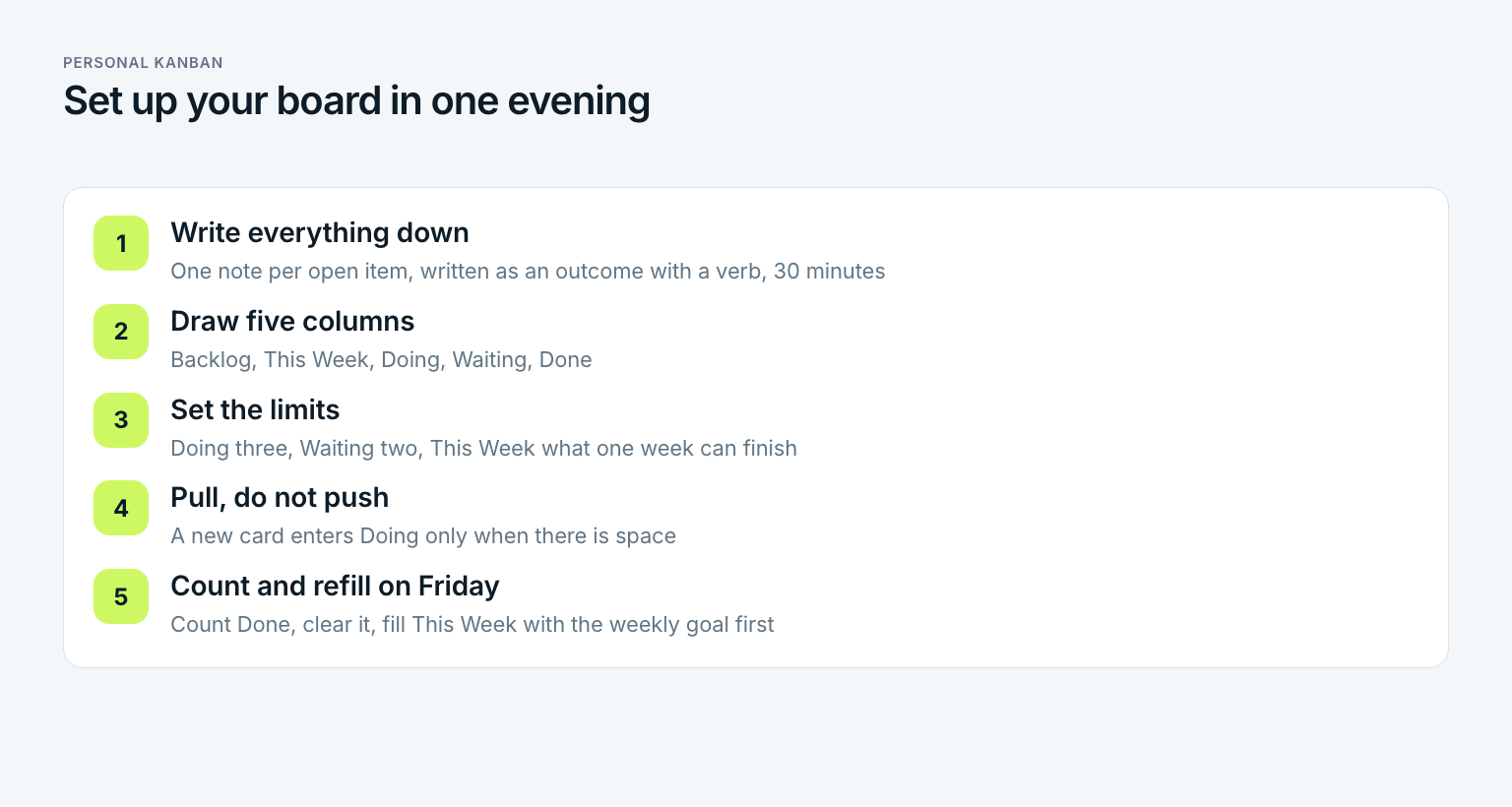
The order is deliberate. Anyone who draws columns first and then decides what goes in builds a neat board for half of their work. Anyone who writes everything down first sees the whole load before capping it. And only the whole load makes the limit believable.
What a good card looks like
A good card can be finished in one sitting or has a visible end. Renovate the bathroom is not a card. It is a project. It becomes four cards: buy the remaining tile, finish the tile wall, grout, install the vanity. A useful rule: if a card has sat in Doing for more than two weeks, it is too big. Split it instead of nudging it along. Colors help from week two on, one per area of life. Ben uses yellow for school, blue for robotics, and green for the house. One glance tells him whether one area is crowding out the rest.
The WIP limit: why fewer open tasks finish faster
The WIP limit is the rule people resist most. Three things at a time, with 27 waiting? It feels like braking on the highway. It is the opposite. The limit shortens the time every single task takes, and the effect is stronger the fuller the board.
Little's law
In 1961 John D. C. Little proved that in any stable system, the average time an item spends in the system equals the amount of work in progress divided by throughput. On Ben's board: nine cards in progress divided by three finished a week gives three weeks per task. Five cards in progress at five finished a week gives one week. Whoever lowers the amount in progress does not get slower. Each task gets done sooner.
Here is how it went for Ben. In week one he capped Doing at three and Waiting at two. Of his nine started cards, five stayed on the board and four went back to the Backlog, each with a note on where he had stopped. That stung, especially the tile. On Friday there were four cards in Done, including the drill, which had waited four weeks and took twenty minutes on a Tuesday.
In week three there were five cards in Done. One of them was the lab reports, which had sat half graded for two weeks and were finished in four evenings once they were the only school card in Doing. Ben did not work longer hours in week three than in September. He just switched less.
| Measure | September | Week three with a limit |
|---|---|---|
| Cards in progress, Doing and Waiting combined | 9 | 5 |
| Cards finished per week | 3 | 5 |
| Average time from start to done | about 3 weeks | about 1 week |
| Cards open four weeks or longer | 4 | 1, the refinancing waits on the bank |
How high should your limit be? A simple rule: start with three. If you often sit idle while waiting on something, raise it to four. If you still jump between three cards, lower it to two. The limit is not a law. It is a dial you check every two weeks. Whoever never adjusts it probably never took it seriously.
Kanban for personal use: four example boards to copy
The five columns stay the same. What changes is what goes on the cards and how tight the limit is. Four boards that work for different lives:
| Board | Typical cards | Doing limit | What makes it work |
|---|---|---|---|
| Work week | Client deliverables, reports, one admin card | 2 | Pair the big cards with calendar blocks |
| Household and family | Repairs, appointments, school forms, birthdays | 1 per adult | Each person gets a color, the limit is per person |
| Study or certification | Chapters, practice tests, assignments | 2 | One card is always the next exam topic |
| Side project | Features, posts, outreach, one learning card | 2 | One limit across the whole project, not per category |
A family board needs one change. Each adult gets a color, and the limit applies per person. A ten-year-old can then see that Dad has three things in Doing and the fourth will have to wait. Kids can get their own row with a limit of one, which teaches the rule faster than any explanation. Ben's daughter has one card on the pantry door right now: library books returned.
Paper or app: choosing a kanban app for personal use
Start on paper, for the reason above: visible means you see it without opening anything. An app pays off once you travel a lot, need attachments on cards, or share the board with someone, a partner for instance. Several kanban apps work for personal use. Trello, Notion, and KanbanFlow have free plans, and Kanboard and Wekan are open source if you want to host it yourself. Which one you pick matters less than you think. The right app is the one you will open every morning. Only one feature is essential: a WIP limit per column, or at least a column title where you can write the number yourself.
Apps tend to grow features: due dates, tags, automations, swimlanes. Each is useful later. For the first month, every feature beyond five columns and a limit is a reason to fiddle with the board instead of finishing a card. Is the board helping you finish, or is it becoming another project?
The three mistakes nobody notices
A personal kanban board rarely fails on the first evening. It fails quietly in week three, from one of these three mistakes. Which one is yours?
The most common mistake: a limit that is only decoration
The number above Doing is there, but when something urgent arrives it goes in anyway, and the column holds five cards instead of three. Two weeks later the board is a colorful to-do list with columns, and the time per task is back where it was. If something truly urgent comes up, another card has to leave, back to the Backlog or over to Waiting. A limit that gives way under pressure is not a rule. It is a wish.
- Cards that are too big. Refinance the house sat on the board for five weeks and would have taken one of three slots in Doing. It becomes three cards: gather the documents, send them, sign. Each fits in one evening, and something moves every week. A card that has not moved in two weeks is a signal to split it, not to push harder.
- A board nobody looks at. A board in an app you open on Sundays is an archive. Visible means you see it without looking for it. Ben's pantry door is on the way to the coffee maker. Anyone who keeps the board digital should make it the home screen or the first tab of the morning.
- Never counting Done. The right column is not just storage. It is the only measurement the board gives you. Whoever does not count what got finished on Friday will not know after a month whether the limit helps, and will drop it after the first bad week.
All three mistakes share one root: the board is read as a picture instead of a set of rules. A picture can be ignored. A rule has to be broken, and you notice when you break it. In short: the board works not because it hangs on a door, but because the number above Doing holds.
Personal kanban in your goal chain: year, quarter, month, week, day
Kanban tells you how much is in progress. It does not tell you what should be. The board is neutral: a card for a birthday party and a card for a robotics qualifier look the same and take the same slot. Whoever only has a board finishes things cleanly, possibly the wrong things. Direction has to come from outside the board, from your goals.
Here is Ben's chain. Yearly goal for 2026: the robotics team qualifies for the state championship. Q4 goal: the team places in the top eight at the November qualifier. October goal: the robot completes the full autonomous routine three runs in a row. Goal for week 42: drivetrain rebuilt with the team and the sponsor email sent, because new wheels cost money. Tuesday's goal: sponsor email finished and sent to twelve local businesses. The card in Doing on Tuesday evening reads: sponsor email sent. Each level answers the question of the next. Why is Ben writing to sponsors at 8 p.m. on a Tuesday? Because the week needs the money for wheels and October needs a robot that runs.
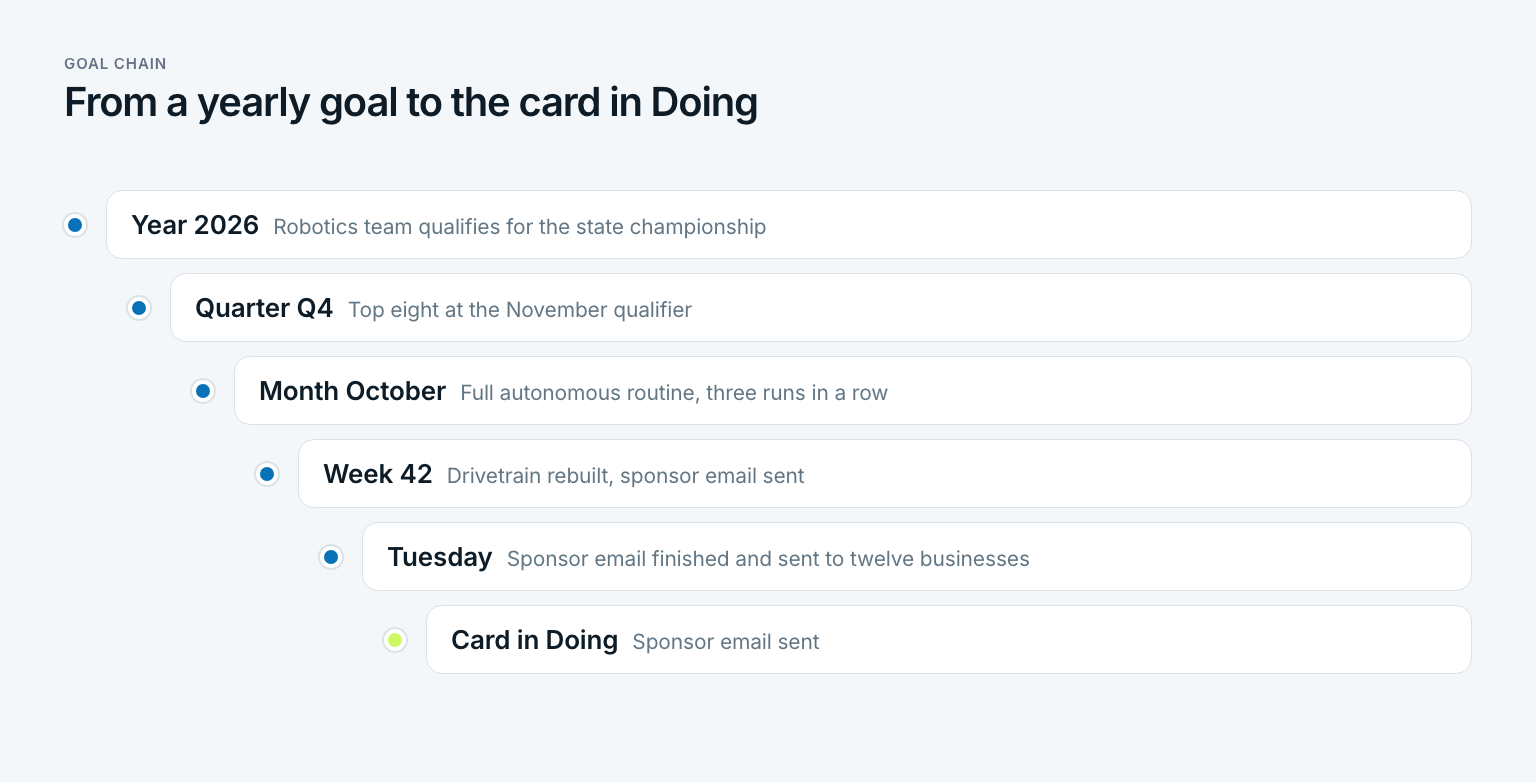
The chain and the board meet in two places. On Friday you fill This Week first with cards that move the weekly goal, then with everything else. Each day you pull the next card into Doing in the same order. The WIP limit makes sure the goal card does not wait behind eight others. The goal chain makes sure one of the three slots in Doing always belongs to the goal. Ben's rule is simple: while the season runs, one card in Doing is always blue.
How to break a yearly goal down to a weekly one is covered in how to achieve goals. In Gaapp that chain is the core: five levels from year to day, each goal tied to a bigger one. The board stays on the door. The app tells you which card goes into This Week first on Friday. And whoever runs a weekly review on Friday can put the Done count next to the weekly goal: five cards finished, and was the important one among them?
Three questions about last week:
- Do you know how many things you have started right now, as a number and not a feeling?
- Did you start something new last week while something else was an hour away from done?
- Was at least one of the things you had started tied to your most important goal?
Whoever answers no to the first or third question, or yes to the second, does not have too much to do. They have too much open at once. In short: personal kanban is not a prettier list. It is the decision to finish what you started before you start something new.
Frequently asked questions about personal kanban
Can you give me some examples of Kanban?
In factories, Toyota used kanban cards to signal that parts had been used and needed replacing. In software, teams move work items across a board from To Do to Done with a limit on work in progress. For personal use, typical boards track a work week, a household, a study plan, or a side project, each with columns like Backlog, This Week, Doing, Waiting, and Done.
What is the best Kanban app for personal use?
The best one is the one you see every day without effort. Trello, Notion, and KanbanFlow offer free plans, and Kanboard or Wekan are open source if you prefer to host it yourself. Check that you can set a WIP limit per column. For the first month, a door and sticky notes often beat any app because the board is always in view.
How do I create my own Kanban board?
Write every open task on its own note, draw five columns named Backlog, This Week, Doing, Waiting, and Done, and put a limit of two or three above Doing. Move a card into Doing only when there is space. On Friday, count what is done, clear the column, and refill This Week starting with your weekly goal.
What are the 6 core principles of Kanban?
The six usually cited are the core practices of David J. Anderson's Kanban Method: visualize the workflow, limit work in progress, manage flow, make policies explicit, implement feedback loops, and improve collaboratively while evolving experimentally. Personal kanban by Jim Benson and Tonianne DeMaria Barry reduces them to two rules for individuals: visualize your work and limit your work in progress.
How many tasks should be in progress at once?
Two or three work for most people. Start with three and check after two weeks: if you sit idle while waiting on others, raise it to four, and if you still jump between cards, lower it to two. Put blocked tasks in a separate Waiting column with its own limit so they do not clog Doing.
Is personal kanban better than Scrum for one person?
For one person, usually yes. Scrum is built for teams working in sprints of a month or less, with roles like product owner and scrum master and a fixed meeting rhythm. Kanban has no sprints and no roles, just flow and limits, so it fits one person's mix of work and home without the ceremony.
Last updated: 6 October 2026
Read next
 Productivity
Feynman Technique: Four Steps to Real Understanding
The Feynman technique is not a memorization trick: four steps, a worked example from a stats class, a one-page template, and what research says.
16 min read
 Productivity
Zettelkasten: How to Turn Notes Into Your Own Ideas
A Zettelkasten is not an archive: Luhmann's method, the three note types, a five-step setup and an Obsidian template, with a worked example.
15 min read
 Productivity
Second Brain: How to Build One You Actually Use
A second brain is not a note archive: Tiago Forte's CODE steps, the PARA method with an example, a five-step setup and the mistakes that sink it.
15 min read